On this page
Quick summary
Dropped mobile app control usually stems from a hung Wi-Fi dongle, 2.4 GHz router shift, or weak signal rather than a broken main PCB. Confirming complete infrared remote response from dry floor tiles separates router resets from true board faults needing a S$30 diagnostic check.
On-site fault check: $30 ($80 VRV), waived if you proceed with repair · See diagnosis & repair
Test Full Infrared Remote Control Before Resetting Network Gear
Point the handheld infrared (IR) remote toward the indoor receiver with fresh batteries fitted. Cycle power on, switch to cool mode at 24 degrees, step fan speeds, and toggle swing louvres.
Crisp receiver beeps and cold air prove the indoor PCB and outdoor link work properly. Only the wireless bridge or router link froze when IR commands work seamlessly.
Stay Within EMA, HDB, and MOM Floor-Level Safety Limits
Remain strictly on dry room tiles at floor level throughout every step. Under EMA electrical safety rules, residents must never unscrew blower casings, touch 230V terminal screws, or pull internal Wi-Fi modules beside live PCB headers.
HDB home care rules and MOM circular limits also bar climbing onto chairs, window sills, or outdoor ledges. Only flick the dry wall isolator off for two minutes or reboot your home router from the floor.
Compare Pass and Fail Self-Check Signs Before Booking Service
Match each safe floor-level observation against this pass and fail self-check table before requesting spare parts:
Scroll to see more columns
| Floor-level test | Safe resident action | Pass sign (Wi-Fi side) | Fail sign (S$30 escalation) |
|---|---|---|---|
| Handheld IR remote check | Send on, cool mode, fan, and swing keys | Indoor beeps fast and cools normally | Dead display or zero beep; book S$30 check |
| Two-minute wall switch cycle | Isolate wall spur 120 seconds, then restore | Dongle links cleanly onto 2.4 GHz network | Breaker trips or LED flashes fault; book S$30 check |
| Router 2.4 GHz band test | Confirm 2.4 GHz SSID runs near bedroom | App reconnects smoothly after router refresh | Error code persists on blower; book S$30 check |
| Front casing inspection | Look from floor level without opening covers | Dry shell, clean mesh filter, normal breeze | Warm burnt smell, water drips, or freeze; book S$30 check |
Decide When to Escalate Failed Indoor Checks to Technicians
Clear test outcomes prevent buying replacement main boards when only router bands changed:
- Troubleshoot 2.4 GHz router bands first when IR commands cool normally. Avoid buying spare circuit boards blindly.
- Book a S$30 diagnosis immediately if IR keys fail, lamps blink, or breakers trip. Approved repairs waive that fee (VRV inspections cost S$80) with 30-day warranty.
- WhatsApp a quick phone video showing failed IR button presses and timer lamp blinks. Technicians pack matched receivers and bench meters.
- Keep display connectors dry with regular upkeep: general cleaning runs S$50 standalone, S$30 per unit when servicing pairs, or S$25 per unit when cleaning three-plus units (14-day terms).
Diagnostic Cases for This Fault
Singapore jobs showing what we checked on-site before quoting parts or gas.
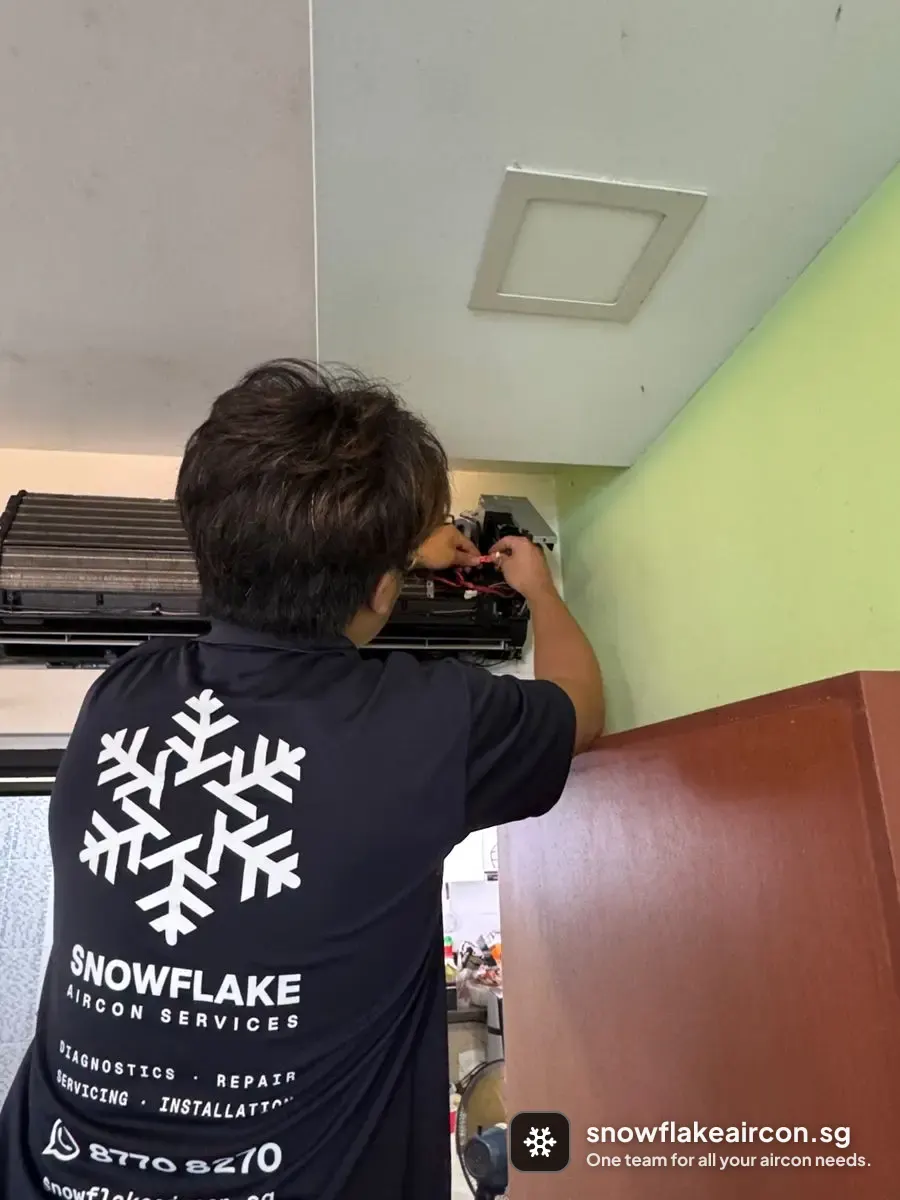
Midea · Wall-mounted
No display lights after power blip: blown fuse, not PCB
Blown board-mounted glass protective fuse and loose live terminal screw after a momentary flat power blip while the Midea indoor PCB circuitry remains healthy
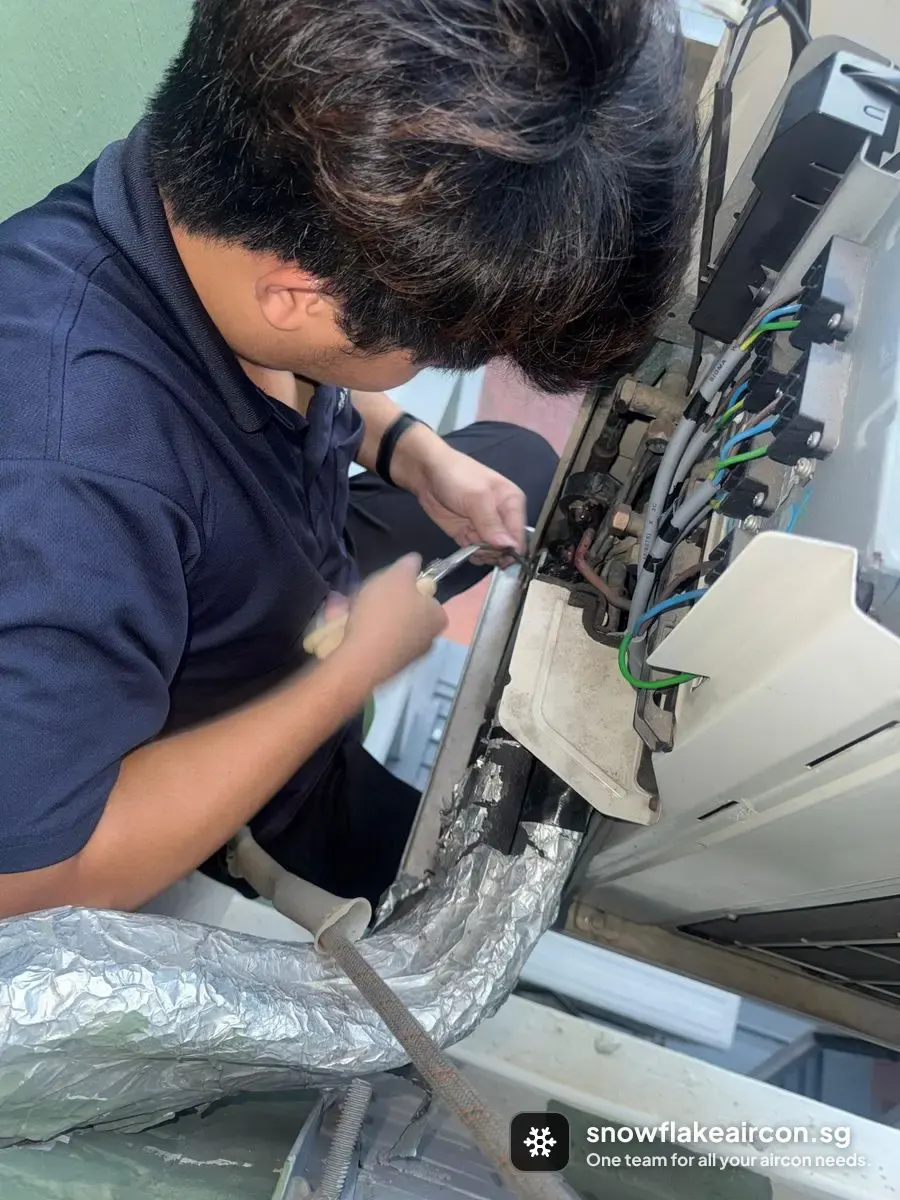
Midea · Wall-mounted
Burnt plastic smell and cutouts: scorched terminal, not PCB
High-resistance loose wire termination inside the indoor electrical terminal block overheating the copper strands and causing intermittent power dropouts while the indoor PCB stays intact
Common Questions
Does an offline smart aircon mobile app mean the indoor main PCB failed?
Is pulling out an internal aircon Wi-Fi dongle myself safe in Singapore flats?
Why do aircon Wi-Fi dongles disconnect after fibre router upgrades in HDB homes?
When should residents stop wireless resets and schedule a S$30 aircon diagnosis?
Sources
Sources checked 27 Nov 2026